Stop Getting Copyright Strikes: Is AIVA the Ultimate AI Music Solution?
We tested AIVA to see if it truly generates 100% unique, royalty-free background music for safe video monetization.
5/8/20242 min read

While YouTube has an extensive music library, downloading tracks in advance can be cumbersome, and editing after uploading wastes time. So I often use local royalty-free music, but occasionally still receive copyright warnings—giving me quite a scare, thinking my account had been flagged. This shows that so-called "free license music" isn't entirely reliable.
Since AI can do just about anything these days, I searched for AI music production and actually found a tool:
An AI Music Generator
It's an artificial intelligence-based music creation software. By deep learning from vast amounts of musical works, AIVA can generate custom, personalized music according to your needs. It offers multiple music styles and genres, allowing users to adjust elements like melody, rhythm, and harmony based on their preferences and project style.
Moreover, AIVA is simple to operate and easy to use—even music novices can get started effortlessly.
How to Use AIVA to Create Custom Music? The steps are straightforward:
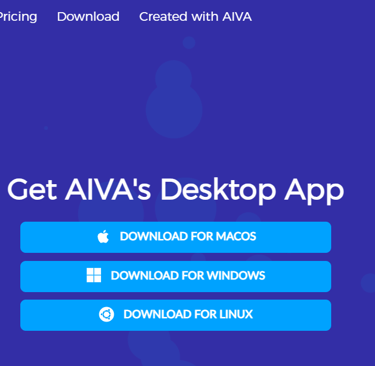
First, visit the official website to download the software. Besides Windows and Mac, surprisingly it also offers a Linux version.
Register an account. Note that the website uses Google's reCAPTCHA verification service, so you'll need a VPN to access it.
Go to your email to activate your account, then log into the software. Click "Create a track" to start creating.
Select a creation method, including 4 options:
From a Style
From a Chord Progression
Step by Step
From an Influence
Let's try the "From a Style" method. Based on a particular style, you can filter and select by criteria.
Set "Key Signature," "Duration," and "Number of Compositions" as needed, then click "Create tracks" to have AIVA create your desired music.
After a brief wait, you can see the generated music and click to preview it.
You can download it locally, but free users have limited downloads. If you need more downloads, consider their paid service.
You can also try other generation methods:
From a Chord Progression
Step by Step
From an Influence
The process is similar, so I won't elaborate further.
What's the Quality of AIVA-Generated Music?
I'm no music expert—I just feel it sounds reasonably authentic, though I can't provide a detailed critique. I came across a professional online musician who also used this software to produce a batch of music, with the following evaluation:
Rating Scale:
0 – NA. Does not exist or fails spectacularly.
1 – Poor. Seemingly random. Worse than a beginning student.
2 – Fair. As good as a beginning student.
3 – Good. Good student work / passable pro work.
4 – Very Good. As good as a professional composer.
5 – Excellent. Remarkable composition. As good as the top composers.
6 – Masterwork. A once-in-a-decade level of quality and interesting.
7 – Superlative. Bounds of music have been moved.
Overall, it's quite decent, with some pieces even qualifying as excellent. For non-professional purposes, it should suffice. For general video creation, it provides short-form video creators with the convenience and inspiration to craft custom music backgrounds. With AIVA, you don't have to worry about copyright issues—you can easily customize unique music for your short videos, making your work more attractive and distinctive. If you're a short-form video creator, why not give AIVA a try? I believe it will bring you unexpected surprises and enjoyment.
In conclusion, AIVA is an excellent artificial intelligence music tool.
Connect
Stay updated with the latest tech insights.
Call
© 2026 All rights reserved.