Pictory: The AI Video Creation Tool for Affiliate Marketers
The video era is here, and affiliate marketing needs to keep up! Today, I’m excited to recommend a powerful AI video creation tool—Pictory! It helps you effortlessly turn blog posts into videos or create engaging social media snippets in minutes. Whether you’re a YouTuber or a marketer, Pictory saves time and makes video creation simple and efficient.
2/24/20265 min read

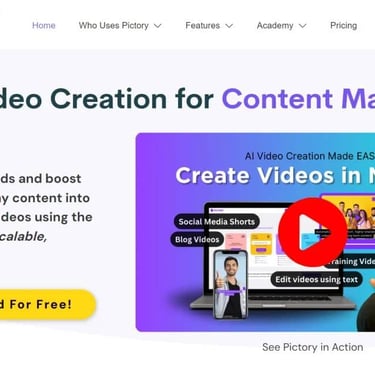
The Rise of Video in Affiliate Marketing and the Power of Pictory
Nowadays, video has become the mainstream on the internet, and its dominance continues to grow. Affiliate marketing must keep up with the times, whether it's content creation or advertising materials, high-quality videos are essential. At this point, having a handy video creation tool becomes incredibly important. Today, I’m excited to recommend an efficient AI-powered video generation tool—Pictory (no affiliate link included). It’s especially suitable for affiliate marketers, with unique features that allow you to easily create over 20 videos in a single day.
In this article, I’ll dive deep into its key features, such as turning an entire blog post into a video or quickly creating video highlight reels. Additionally, I’ll discuss the pros and cons of this software to help you choose the right video creation tool for your needs.
Introduction to Pictory
Compared to InVideo, which I’ve introduced previously, I now highly recommend Pictory.
Pictory leverages AI technology to magically transform long-form content into short, highly shareable videos in just minutes. It can also automatically extract “valuable content” from Zoom meetings or webinar recordings and turn them into video material.
Whether you want to share engaging snippets on social media or convert scripts into captivating sales videos, Pictory has you covered. It can even transform your entire article into a dynamic video, breathing new life into your written content.
Did you know? On Facebook, 85% of videos are watched on mute. That’s why Pictory automatically adds captions to your videos, ensuring your content reaches and engages the maximum audience. No more spending hours manually adding subtitles.
Pictory also offers a free trial, allowing you to fully experience its outstanding features without spending much money upfront.
Key Features of Pictory
Pictory comes with a range of video editing capabilities to create stunning videos.
1. Script to Video Creation
If you’re a YouTuber or video marketer, the Script to Video feature will save you tons of time! Simply upload your script, and in less than a minute, watch Pictory use AI to turn your written content into engaging visuals that match your script.
Once done, you can edit the video to your liking—swap out stock video clips, add graphic elements, text, and more. You can also record your own voice for narration or let AI handle it for you.
The “Script to Video” feature is a huge time-saver for those creating YouTube videos, allowing them to quickly and easily add B-roll footage. It’s also perfect for marketers who want to educate others about their products swiftly.
Ideal for:
Educational videos
Listicle videos
Coaching videos
Step-by-step guides
How to Use:
Access the “Script to Video” feature in the dashboard and start working in the script editor. Name your video and upload the text content (script) you want to use.
Customize your scene settings by choosing whether Pictory should automatically highlight keywords, select visuals for you, or create new scenes between sentences, lines, or both.
Choose a template style.
Select the video resolution based on the platform where you’ll share it.
Once finalized, the video generation process begins.
In less than a minute, Pictory generates a 3.5-minute video complete with captions, stock footage, and background music! Within Pictory, you can edit everything—from changing the background music to finding alternative shots or adding graphics.
2. Blog to Video Creation
Pictory can convert blog posts (or any other text content from the web) into engaging videos. For those who might not want to read lengthy content, turning a blog into a video is the perfect solution.
With the magic of AI, Pictory extracts the key points from your article, turns them into captions, and pairs them with appropriate stock footage. From there, you can customize to your heart’s content—choose videos from their vast stock library, add AI narration, and background music!
How to Use:
Copy and paste the URL of the article you want to convert into the input box, then click “Proceed.”
In less than a minute, Pictory extracts the main points from the article and splits them into editable video segments. Once satisfied, click “Next” to continue.
Choose a template style and aspect ratio for your video.
Within seconds, you’ll have a complete video with captions, stock footage, and images! Now, you can edit it to match your preferences.
3. Edit Videos Using Text
With Pictory, you can automatically add captions, make cuts, create social media highlights, and add custom branding.
Some videos are easier to edit via text, especially long ones with a lot of dialogue. Pictory automatically identifies awkward “ums” and “uhs” in the video, allowing you to remove them instantly from the captions. Pictory lets you search for any unwanted words, tells you how many instances appear in the text, and allows you to delete them in bulk.
4. Create Shareable Highlight Reels
Short-form video content is currently the biggest marketing trend, and Pictory makes creating such shareable content easier than ever. All you need to do is upload a video and click “Auto Highlight.” Choose a percentage, and Pictory’s AI will trim the video to the optimal length!
My video was cut from nearly 4 minutes to about 30 seconds. Feel free to edit the script sections you want to highlight. This feature is perfect for creating highlight reels on trending platforms like TikTok and Instagram, quickly emphasizing key moments in your video.
Pros of Pictory
AI Features: Save time and money with Pictory’s AI capabilities (text-to-video conversion, highlight creation, bulk script replacement, auto-captioning, and more!).
User-Friendly: Pictory has a clean and intuitive interface, making it very beginner-friendly.
Variety of Aspect Ratios: Choose popular aspect ratios like 16:9, 9:16, or 1:1, perfect for uploading to platforms like YouTube, TikTok, and Instagram.
Flexible Video Editing: Remove scenes, trim videos, add voiceovers, and more to make the video look just the way you want!
Cloud Storage: No more worrying about losing edits; work on the same video across different devices.
Fast Video Rendering: Pictory’s video rendering process takes less than a minute!
Free Trial: Take advantage of Pictory’s free trial (create three 10-minute videos) to see if it’s right for you!
Pictory Pricing
Pictory offers three plans: Standard, Premium, and Teams. The prices listed below are for annual billing.
Standard Plan (Basic):
30 videos per month
10 hours of video transcription
2 million royalty-free premium videos from Storyblocks
5,000 music tracks
34 text-to-speech AI voices
Free “YouTube Mastery” course
Premium Plan (Advanced):
60 videos per month
20 hours of video transcription
51 high-quality AI voices from ElevenLabs (120 minutes)
60 text-to-speech AI voices covering 29 languages
Over 12 million royalty-free, commercial-use HD videos from Getty Images and Storyblocks
10,000 music tracks
Functionally, the Premium plan offers more features and power, but it comes at a higher cost. The monthly video limit isn’t very friendly. It would be great if they offered an unlimited or lifetime plan. Stay tuned to this site, as I’ll provide updates on discounts for must-have software.
Who is Pictory For?
Pictory is perfect for quickly creating short, user-friendly videos from scripts or articles. It also excels at turning longer videos into short-form content, making it an excellent tool for distributing content across multiple social channels. Whether you’re starting a YouTube channel or creating TikTok, Facebook, or Instagram Reels videos, Pictory’s simple and intuitive interface is beginner-friendly. It helps you create professional-level videos quickly and provides royalty-free footage and music options.
Its standout feature is its AI processing power. Compared to other video creation tools, the videos generated from scripts feel more natural, with more relevant footage selection. It can edit long video content into easily watchable and shareable short clips, allowing you to create various types of videos tailored to your needs without spending too much time.
Connect
Stay updated with the latest tech insights.
Call
© 2026 All rights reserved.